Mobile-first builder · Ranked 23 of 33 in the index
Bravo Studio Review (2026)
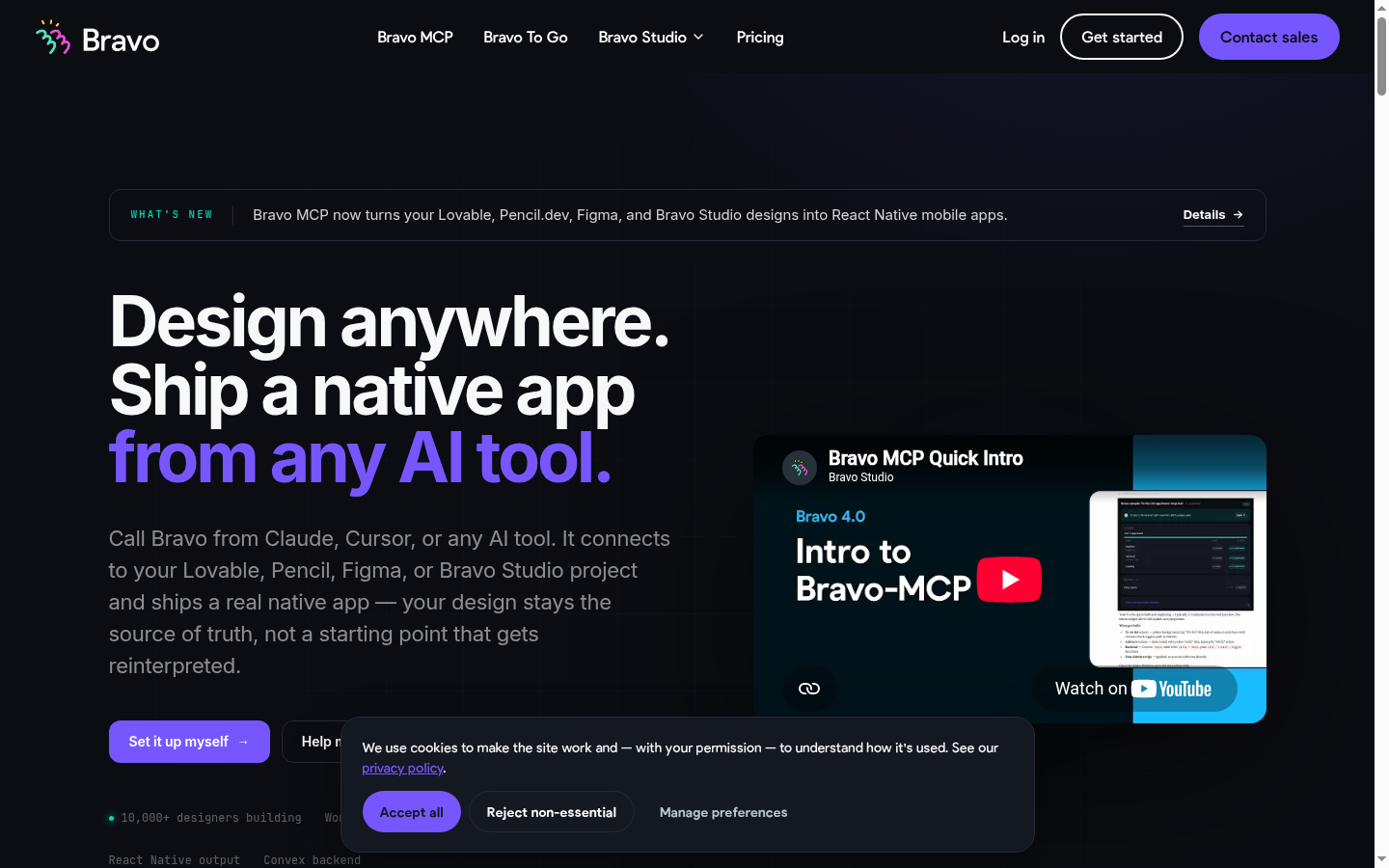
Turns a Figma design into a native app, either by mapping layers to components and binding them to your API, or through Bravo MCP, which builds native apps from inside an AI conversation with a Convex backend included.
 3.6 / 5Last verified: · Next scheduled check:
 The quick answer
Assessed for 2026A specialist that does one thing beautifully, and a second thing we had missed. If you have a finished Figma file and an API, Bravo turns them into a native app that looks exactly like the design, and design at 4.4 reflects that fairly. The part our previous verdict denied is Bravo MCP, shipped in Bravo 4.0 as a beta inside the Solo plan: in the vendor's words it "plugs into Claude, ChatGPT, Cursor, or any MCP-compatible AI client and lets you build native apps from inside the AI conversation you already use", with React Native output, a Convex backend included and realtime sync from Figma. So "no backend, bring your own API" is wrong on that path. Auth and payments are further along than we said too: OAuth 2.0 login, custom authentication and Firebase email and phone login are Solo platform features, with Stripe and in-app purchases as an add-on. The real ceiling is one we never mentioned and it is the honest explanation of the 2.6 scalability mark: 15 screens per app on Starter, 30 on Solo. That is what limits Bravo to small applications, not the absence of features.
- Best for
- Designers with a finished Figma prototype and an API to plug into it
- Not for
- Anyone without a design file, or without a backend already built
- Price from
- USD 22 / month, billed monthlySolo plan. The vendor states: prices in USD are based on the current exchange rate, the exact price is shown at checkout.
- Free tier
- Yes
The ten axes
Every builder in the index is scored on the same ten axes with the same published weights. This is how Bravo Studio performed on our test briefs.
- Reliability16%
- 3.3
- Integrations16%
- 3.8
- SEO and GEO13%
- n/a, not applicable
- Design quality12%
- 4.4
- Agent performance10%
- 3.7
- Speed9%
- 3.6
- Value9%
- 3.5
- Scalability7%
- 2.6
- API and MCP access5%
- 4.0
- Code ownership3%
- 2.1
n/a means the axis does not apply to this tool. It builds internal software behind a login, a native store app or an API, so there are no public crawlable pages to test. The axis is left out of the overall rating and the remaining weights are renormalised, rather than the tool being scored down for something we did not test.
Every axis is scored from 0 to 5 stars. The percentage is that axis's published weight in the overall 3.6 rating.
The verdict
A specialist that does one thing beautifully, and a second thing we had missed. If you have a finished Figma file and an API, Bravo turns them into a native app that looks exactly like the design, and design at 4.4 reflects that fairly. The part our previous verdict denied is Bravo MCP, shipped in Bravo 4.0 as a beta inside the Solo plan: in the vendor's words it "plugs into Claude, ChatGPT, Cursor, or any MCP-compatible AI client and lets you build native apps from inside the AI conversation you already use", with React Native output, a Convex backend included and realtime sync from Figma. So "no backend, bring your own API" is wrong on that path. Auth and payments are further along than we said too: OAuth 2.0 login, custom authentication and Firebase email and phone login are Solo platform features, with Stripe and in-app purchases as an add-on. The real ceiling is one we never mentioned and it is the honest explanation of the 2.6 scalability mark: 15 screens per app on Starter, 30 on Solo. That is what limits Bravo to small applications, not the absence of features.
Turns a Figma design into a native app, either by mapping layers to components and binding them to your API, or through Bravo MCP, which builds native apps from inside an AI conversation with a Convex backend included.
The dissenting view
The editor in chief held that a beta MCP surface should not lift the agent score yet, and that a product whose ceiling is 30 screens is a bridge rather than a platform however it is driven.
One member of the panel disagreed with the consensus. We publish the disagreement rather than average it away.
What it looks like
Pricing
Two self-serve plans. STARTER is the free one, free forever at $0, and SOLO is USD 22 a month. Everything above Solo is quote-based professional services.
| Plan | Price | Billing | What you get |
|---|---|---|---|
| STARTER | Free | monthly | Free forever, preview in the Bravo Vision app |
| SOLO | USD 22 | monthly | Published app, API bindings, store publishingThe vendor states prices in USD are based on the current exchange rate and the exact price is shown at checkout. |
| Professional services | On request | quote | Vendor-built and vendor-supported delivery |
We list the plans we could verify on the vendor's own pricing page. Where a plan exists but its price was not published in a form we could capture, the row says so rather than carrying a number we cannot source.
Feature by feature
The same eleven checks, run on every builder in the index.
| Capability | Status |
|---|---|
| Full-stack backend | Yes on the Bravo MCP path, with a Convex backend included, or bring your own API |
| Database included | Yes, a Convex backend on the Bravo MCP path |
| Auth included | OAuth 2.0 login, custom authentication and Firebase email and phone login on Solo |
| Code export | No |
| GitHub sync | No |
| One-click deploy | Yes, store builds |
| Custom domain | Not applicable |
| Mobile or native output | Native iOS and Android builds, with React Native output on the Bravo MCP path |
| Team collaboration | Limited |
| Public API or MCP server | Yes, Bravo MCP in beta on the Solo plan, plus REST bindings to your own API |
| Self-hosting the output | No |
What works / What does not
What works
- Design fidelity at 4.4, the highest in the mobile category, with realtime sync from Figma
- Bravo MCP, in beta on Solo, plugs into Claude, ChatGPT, Cursor or any MCP-compatible client and builds native apps from inside the conversation, with React Native output and a Convex backend included
- OAuth 2.0, custom authentication and Firebase email and phone login are Solo platform features, with Stripe and in-app purchases as an add-on
What does not
- Hard screen ceiling: 15 screens per app on Starter and 30 on Solo, which is what the 2.6 scalability score is really about
- No code export at all
- Bravo MCP is a beta, and the classic path still needs both a finished design and an existing API
User reviews
Bravo Studio holds 3 star ratings and 2 written reviews. They are counted separately: every written review carries a rating, but most ratings arrive without one. Editor panel reviews are shown first and badged.
Community rating
- 5 ★33%
- 4 ★33%
- 3 ★0%
- 2 ★0%
- 1 ★33%
Sign in to rate Bravo Studio. Reading needs no account.
Write a review of Bravo Studio
You need an account to post, because one rating per person is the only way the averages mean anything. Reading never needs one.
- Editor panel
My design shipped exactly as drawn, for once
Hannah Lindqvist@hannahlindqvist
Product designer. I judge a builder by what it does to my spacing.
No reinterpretation, no developer approximating my spacing, no negotiation about corner radii. The Figma file is the app. I supplied the API from elsewhere and that split is fine by me. This is the only tool in this index that treats a designer as the primary author.
- Pros
- Perfect design fidelity. No reinterpretation of the Figma file.
- Cons
- You must already have both a finished design and an API.
0 replies
No replies yet.
Sign in to reply.
- Editor panel
Two prerequisites nobody mentioned
Yara Haddad@yarahaddad
Startup operations. I inherit whatever the founders built and have to keep it alive.
I had neither a finished Figma file nor an API, which turns out to be the entire product. There is no editor, so there is nothing to build in, only something to convert. Once we had both pieces it worked well, but that was two months and two other subscriptions later.
- Pros
- Does its narrow job well once you can feed it.
- Cons
- Requires a finished design and a working API before it does anything.
0 replies
No replies yet.
Sign in to reply.
Frequently asked
- Do you need Figma to use Bravo Studio?
- On the classic path yes: Figma is the editor, and Bravo maps layers to native components and binds them to your API, with realtime sync. On the Bravo MCP path you build from inside an AI conversation instead.
- Does Bravo build a backend?
- On the Bravo MCP path, yes: a Convex backend is included. On the classic path you supply the API, and Xano and Supabase are common choices.
- How large an app can Bravo build?
- Fifteen screens per app on Starter and thirty on Solo. That ceiling, rather than any missing feature, is why scalability scores 2.6.
- Does Bravo support login and payments?
- Yes. OAuth 2.0 login, custom authentication and Firebase email and phone login are Solo platform features, and Stripe with in-app purchases is available as an add-on.
Sources
Where these numbers come from
- Price
- Bravo Studio pricing page · 14 August 2026
- Axis scores
- Our own testing panel: six briefs, three runs each, eighteen runs per tool, scored against the published rubric · 20 August 2026
- Community rating
- Computed from the 3 star ratings held in our own database for this tool · 20 August 2026
Everything we read for this review
- Bravo Studio product site · 14 August 2026
- Bravo Studio pricing page · 14 August 2026